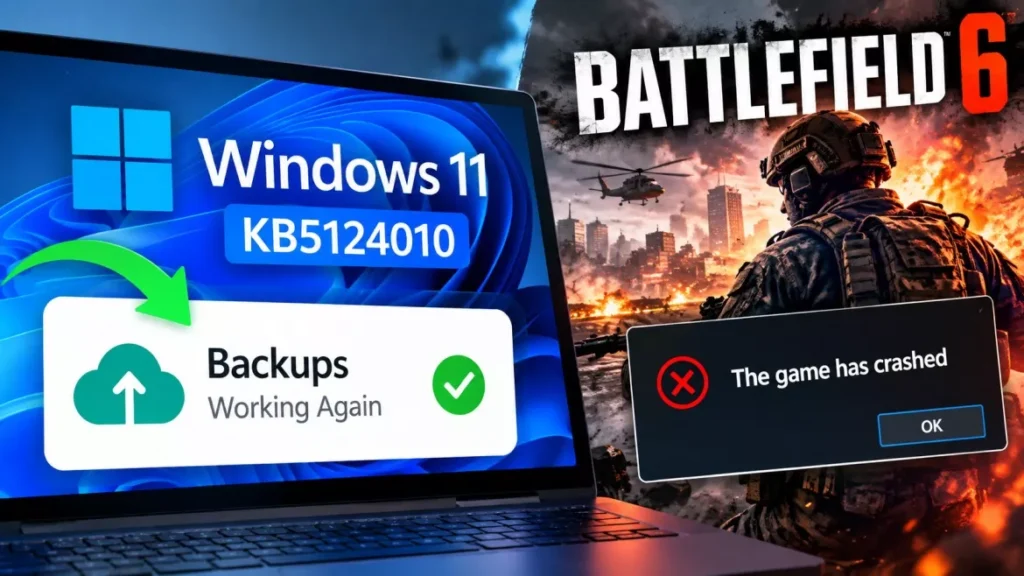

Windows 11 KB5124010, an optional Microsoft update, is crashing Battlefield 6 and other anti-cheat games. Dated 22 September 2026, it moves version 24H2 to build 26100.9550 and 25H2 to build 26200.9550, and repairs File History backups broken since 8 September. Team17 has told players the only workaround is to uninstall it.
What KB5124010 Fixes
KB5124010 is a non-security preview update, which means Windows will not install it unless you go looking for it in Settings. Its headline repair is File History, the built-in backup tool that stopped working for some users after the September security update.
Microsoft’s release notes state that the update “addresses an issue where File History might fail to back up or restore files to an external drive or network location”. That bug arrived with KB5124008 on 8 September 2026, and left affected PCs showing a “Reconnect your drive” prompt even with a working backup drive attached.
| Item | Detail |
|---|---|
| Update | KB5124010, non-security preview |
| Date | 22 September 2026 |
| Builds | 26100.9550 (24H2), 26200.9550 (25H2) |
| Versions | Windows 11 24H2 and 25H2, x64 and ARM64 |
| How it installs | Optional only; not automatic |
| Becomes mandatory | October Patch Tuesday, 13 October 2026 |
The update also carries a long list of Bluetooth reliability fixes covering volume sync and call stability, File Explorer refinements, Emoji 17.0 characters, an option to remap the Copilot key to Right Ctrl or the context menu key, and Wi-Fi support in the Windows Recovery Environment. Pureinfotech and BetaNews both report it is the final preview update for version 24H2.
Which Games Are Crashing
Three titles have drawn the most reports: Battlefield 6, Battlefield 2042 and Wardogs, the Team17-published shooter. All use kernel-level anti-cheat software.
- Battlefield 6: The game crashes to the desktop roughly 15 to 30 seconds after launch, usually with no error message at all.
- Wardogs: Players report a launch failure carrying the error code WD-L020, followed by a device-specific suffix such as WD-L020-95bc94d86a0d.
- Battlefield 2042: Reported crashing by players on the same builds, alongside other titles protected by Easy Anti-Cheat.
TechSpot reports the crashes occur regardless of hardware, which points at a software conflict rather than a graphics driver. Players on Steam and Reddit have suggested the clash involves EA’s Javelin anti-cheat system, but that explanation is community speculation and has not been confirmed by either company.
What Team17 and Microsoft Have Said
Team17 is the only party to have acknowledged the problem publicly. A developer posted on the Wardogs Steam discussion board describing “a potential compatibility issue related to the latest Windows 11 update, KB5124010”, said the studio is actively investigating a fix that would not require touching Windows Update, and noted that removing a Windows update is optional and done at the player’s own risk.
Microsoft has not acknowledged the game crashes. The known issues section of its own KB5124010 documentation lists two unrelated problems, both inherited from the 8 September security update: Credential Guard machines losing their secure trust relationship with on-premises Active Directory, and USB Audio Class 1.0 devices failing with a Code 10 error in Device Manager. The USB audio fault was only partly repaired by KB5129195 on 14 September. Electronic Arts has made no public statement about Battlefield.
How to Uninstall KB5124010
Removing the update is the only workaround anyone has confirmed works. The steps Team17 posted are the standard Windows route:
- Open Start and choose Settings.
- Select Windows Update, then Update history.
- Scroll to the bottom and click Uninstall updates.
- Find KB5124010 in the list and select Uninstall.
- Restart the PC when prompted.
Two consequences are worth knowing before you do it. Uninstalling returns File History to its broken state, so anyone who installed KB5124010 specifically to repair backups will lose that fix. And because the same code ships inside the October security update, the crash will return on 13 October 2026 unless a fix lands first.
Should You Install KB5124010?
For most people the answer is no, because there is nothing to gain by rushing an optional update. The choice splits cleanly by what you use the PC for.
- PC gamers: Skip it. The features are minor and the crash risk is real on anti-cheat titles.
- Anyone with broken File History backups: Install it, unless you also play the affected games.
- Everyone else: Wait for the October security update, which carries the same changes and must be installed anyway.
As of 24 September 2026, Microsoft has not published a known issue for the game crashes, has not pulled KB5124010, and has given no date for a fix. Team17 says it is investigating. The update remains available and optional for Windows 11 24H2 and 25H2 worldwide, and the same changes are scheduled to become mandatory with the October Patch Tuesday release on 13 October 2026. Separately, the September security update’s Remote Desktop fault remains a live issue in the same release cycle.
Frequently Asked Questions
Is Windows 11 KB5124010 Safe to Install?
It is safe for most PCs, but it is crashing Battlefield 6, Battlefield 2042 and Wardogs. If you play games protected by kernel-level anti-cheat software, skip it for now.
Will Windows Install KB5124010 Automatically?
No. KB5124010 is an optional preview update and only installs if you choose it in Settings, Windows Update, Advanced options, Optional updates. The same changes become mandatory with the October security update on 13 October 2026.
How Do I Fix Battlefield 6 Crashing After the Windows Update?
Uninstall KB5124010 through Settings, Windows Update, Update history, Uninstall updates, then restart. Team17 posted the same route for Wardogs and says it is the only workaround available.
What Does the WD-L020 Error Code Mean?
WD-L020 is a Wardogs launch error that players began reporting after installing KB5124010. It usually appears with a device-specific suffix. Team17 has linked the reports to a potential compatibility issue with the update.
Does KB5124010 Fix the Windows 11 USB Audio Problem?
No. Microsoft still lists the USB Audio Class 1.0 Code 10 fault as a known issue in the KB5124010 documentation. That problem dates from the 8 September security update and was only partly addressed by KB5129195.