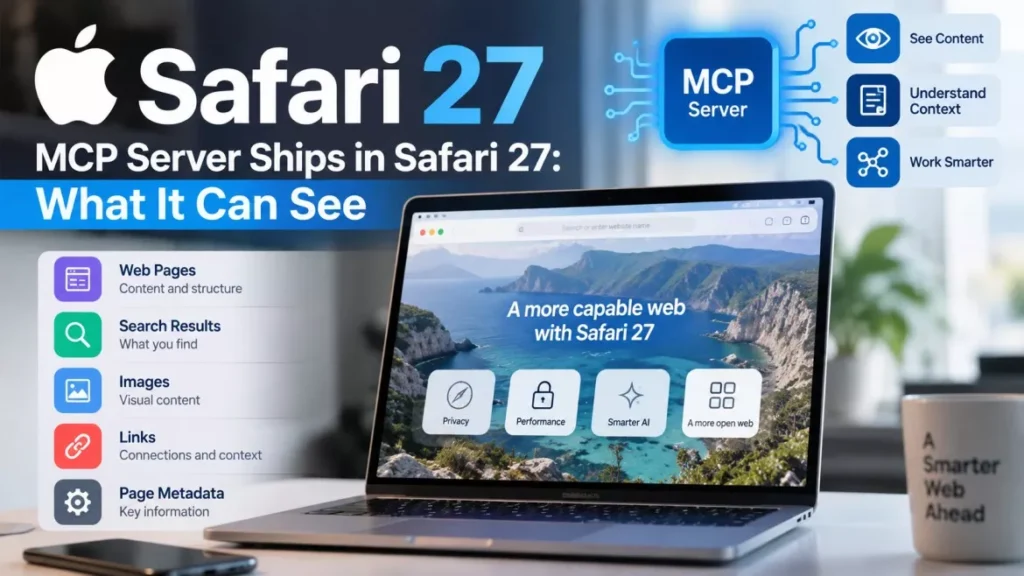

The Safari MCP server is now in the shipping version of Safari, letting an AI coding agent drive a real browser window. It arrived with Safari 27.0 on 14 September 2026, and Apple’s WebKit team documented it on 17 September. It runs locally and makes no network calls of its own.
What Shipped and When
Two dates are being conflated in coverage of this release, so it is worth separating them. Safari 27.0 was released on 14 September 2026 alongside macOS 27 Golden Gate and iOS 27. The WebKit team’s detailed write-up of what is in the release, including the MCP server, was published on 17 September, which is what put the feature back in the news three days later.
The feature itself is not brand new. Apple first shipped it in Safari Technology Preview 247 on 1 July 2026, as a preview for developers. What changed in September is that it is now in the general release rather than a test build.
MCP stands for Model Context Protocol, an open standard for connecting AI assistants to external tools. An MCP server is the piece that exposes a tool’s capabilities in a form an agent can call. Apple’s is built into safaridriver, the automation binary that already ships with Safari on macOS.
What an Agent Can Do Through It
The server exposes 17 tools, and they fall into four groups. The WebKit team’s published tool reference lists each one individually.
| Group | What the agent can do |
|---|---|
| Seeing the page | Take PNG screenshots, read page content, get the URL, title and loading state |
| Acting on the page | Click, type, scroll and hover; run JavaScript and read the result; handle dialogs |
| Managing tabs | Create, close, list and switch tabs; navigate to a URL; wait for navigation to finish |
| Inspecting and testing | Read buffered console messages, list and inspect network requests, set viewport size, emulate CSS media types |
The practical effect is that an agent stops guessing. Instead of being told a layout is broken, it can take a screenshot, read the console, and check whether a request failed, then change the code and look again.
What It Cannot Reach
This is the part the launch coverage mostly skips, and it is the question most people ask before turning a feature like this on. The WebKit team states that the server runs entirely on the local machine and makes no network calls of its own.
- No saved passwords or AutoFill data: The server has no access to Safari’s stored personal information.
- No browsing history: History is outside what the automation interface exposes.
- No data sent to Apple: There is no cloud component and no background service.
There is a real caveat that follows from this rather than contradicting it. Whatever the agent does read — the page content, the screenshots, the console output — goes to whichever AI model you have connected, and from that point the handling of that data is governed by that provider’s policy, not Apple’s. The WebKit team’s own guidance on this is short: connect only agents you trust.
The second caveat is structural to every browser agent, not specific to Safari. When an agent reads a page, the text on that page enters its context, and a page written to manipulate an agent can attempt to do so. That risk, generally called prompt injection, applies to any tool that lets a model read arbitrary web content and then act. Apple’s local-only design limits what such an attempt could reach on your machine; it does not make the category of attack disappear.
How to Turn It On
Setup is two toggles and one configuration line, and the toggles are nested, which is why the Developer menu appears missing on a fresh install.
- Show the developer options: In Safari, open Settings, then Advanced, and enable “Show features for web developers”.
- Allow agent access: A Developer pane now appears in Settings. Open it and check “Allow remote automation and external agents”.
- Point your agent at it: In any client that reads a standard MCP configuration, set the command to /usr/bin/safaridriver and the arguments to –mcp. The WebKit team’s documented one-line form for Claude Code is claude mcp add safari-mcp — “/usr/bin/safaridriver” –mcp.
- Restart and approve: Restart the agent and approve the automation prompt when it appears.
Apple documents a separate path for Safari Technology Preview, pointing at the safaridriver binary inside the Safari Technology Preview application rather than the system one. The commands Apple publishes are macOS paths; the company has not documented an equivalent on other platforms.
How It Compares With the Chrome Route
The most useful distinction for a developer choosing between them is session state. Chrome DevTools MCP and Playwright-based tools generally start an agent in a fresh browser profile with no cookies and no logins, which means authenticated pages have to be signed into first. Safari’s server drives a Safari window on your own machine, so pages you are already signed into stay signed in.
The trade runs the other way on measurement. Chrome DevTools MCP carries performance tracing, Lighthouse audits and memory profiling that Apple’s tool list does not include, so work that needs Web Vitals numbers or a CPU profile still belongs in Chrome. Playwright remains the option for cross-browser and headless continuous integration runs.
Apple is not alone in wiring MCP into consumer software this month; Google took a different route with an MCP server for Google Home that requires a paid plan and a cloud project. Apple’s charges nothing and runs on the machine in front of you.
Where This Stands as of 19 September 2026
As of 19 September 2026, the Safari MCP server is available to anyone running Safari 27 on macOS, at no cost, with the two settings above switched on. Apple has not announced a version for iOS or iPadOS, has not said whether the tool list will grow, and has published no timeline for adding the performance-tracing capabilities its Chrome counterpart has. The wider Safari 27.0 release resolved 844 issues, according to the WebKit team’s release summary.
Frequently Asked Questions
What Is the Safari MCP Server?
A Model Context Protocol server built into Safari’s safaridriver binary that lets an AI agent open tabs, read pages, run JavaScript, take screenshots and inspect network requests in a live Safari window.
Which Version of Safari Do I Need?
Safari 27, released on 14 September 2026 with macOS 27 Golden Gate. It was previously available only in Safari Technology Preview 247 and later.
Does It Send My Browsing Data to Apple?
No. Apple’s WebKit team states the server runs entirely on the local machine and makes no network calls of its own. Page content the agent reads does go to whichever AI provider you connect.
Can It See My Saved Passwords?
No. The server has no access to Safari AutoFill data or browsing history. It works with the page content and developer-facing data the automation interface exposes.
Does It Cost Anything?
No. The Safari MCP server is part of Safari 27 and carries no subscription or cloud project requirement. Costs, if any, come from the AI agent you connect to it.