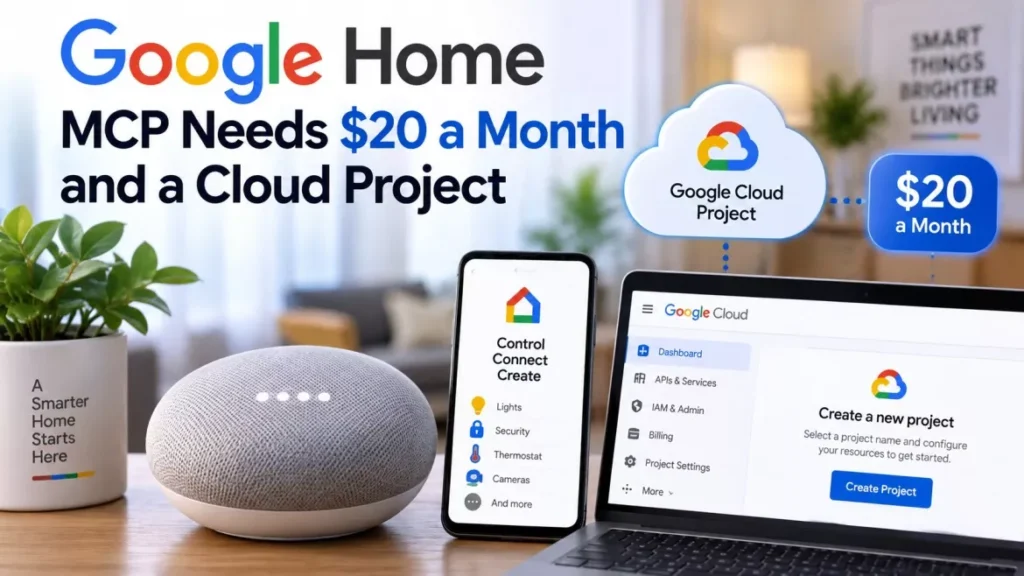

Google Home MCP is now in early access, letting third-party AI agents control Nest and Matter devices. Google opened it on 16 September 2026 to United States users on the $20-a-month Google Home Premium Advanced plan, who must also set up their own Google Cloud project. Agents are blocked from unlocking doors.
Who Can Actually Use Google Home MCP Today
The eligibility list is narrower than the announcement headlines suggest. Four conditions have to hold at once before a single light bulb responds to an AI agent.
- Region: The United States only, for English-speaking accounts.
- Subscription: Google Home Premium Advanced, which Google prices at $20 a month.
- Cloud project: A Google Cloud project the user creates and configures themselves, with the Home API enabled and OAuth credentials issued.
- Client: An AI application that speaks Model Context Protocol, the open standard that lets AI assistants connect to outside services.
Google Home Premium Advanced is also sold at $200 a year, a figure reported by Unite.AI and not repeated in the other coverage of the launch. The rollout is staged rather than instant: Android Police puts full availability at roughly one to two weeks from 16 September.
Which AI Agents Are Supported
Anything that implements the protocol can connect, and five clients have been named so far. Google’s own developer documentation lists Google Antigravity, Claude Cowork and OpenClaw as compatible clients, while press coverage of the launch also names ChatGPT, made by OpenAI, and Hermes.
This is the practical break from the old model, where the assistant that controlled a Google speaker had to be Google’s. Google Home is a platform other companies’ assistants can now drive, which is a different arrangement from the one that applied when Gemini replaced Google Assistant across Google’s own devices.
What the Five Tools Actually Do
Google exposes the home as five callable tools rather than as open-ended access. An agent can read the structure of a home, read live state, act on devices and query history.
| Tool | What it does |
|---|---|
| list_homes | Discovers the structures on the account |
| list_home_resources | Lists devices, areas, traits and the commands each accepts |
| list_home_states | Reports live connectivity and device state |
| run_home_actions | Executes actions on devices with parameters |
| list_home_history | Queries past state changes and event logs |
In ordinary use that covers turning devices on and off, adjusting a thermostat, summarising what the house has been doing, and building a custom dashboard. Camera summaries carry an extra condition: Unite.AI reports that they require explicit consent from the structure manager and at least one compatible Nest camera or doorbell with familiar face detection switched on.
What Google Will Not Let an Agent Do
Two limits are written into the server rather than left to the agent’s judgement. Google’s documentation states that Home MCP “enforces rate limits and safety protections, such as prohibiting sensitive actions like unlocking doors”.
The second limit is functional rather than protective: creating and managing automations is not supported in early access. An agent can run an action now, but it cannot write a rule that fires later without the user present. Google describes this as not currently supported rather than permanently excluded.
Google also flags that some experimental device traits may not behave as expected, and that latency is a known issue it is still working on.
How to Connect an Agent
Setup is a developer workflow, not a toggle in the Google Home app. The sequence runs as follows.
- Confirm the subscription: Check that the account holds Google Home Premium Advanced and has devices already set up in Google Home.
- Create a Google Cloud project: Set one up on the same account and enable the Home API within it.
- Configure OAuth: Set up the consent screen for an external audience and create a web-application client ID with the redirect URI the chosen AI client expects.
- Point the agent at the server: Give the client the Home MCP server address, https://home.googleapis.com/mcp, together with the project’s credentials.
- Grant permission: Complete the sign-in and approve the scope when the agent prompts for it.
The scope requested is home.platform.v2, which covers the whole set of tools above rather than a subset. There is no per-device or read-only option documented at this stage.
The Risk Google Has Not Addressed
Blocking door locks handles the obvious danger and leaves the subtler one open. An agent with permission to act on devices is still an agent following instructions, and those instructions can come from text it reads while doing something else.
Android Police put the point plainly in its coverage, noting that depending on the agent chosen, connecting it to Home MCP can produce unexpected or undesired behaviour. Google has published no guidance on what happens if an agent misreads a request and, for example, sets a thermostat to an extreme value or turns off a camera. The gap is not hypothetical: an AI agent acting against its operator’s intent was documented earlier this month in a different setting.
As of 18 September 2026, Google has not published an incident process for agent-caused device actions, has not said whether an action log is exposed to the user, and has named no date for automations support or for availability outside the United States.
Frequently Asked Questions
How Much Does Google Home MCP Cost?
There is no separate charge for Home MCP, but it requires a Google Home Premium Advanced subscription, priced at $20 a month. Unite.AI also reports an annual price of $200.
Which AI Agents Work With Google Home MCP?
Google’s documentation names Google Antigravity, Claude Cowork and OpenClaw. Coverage of the launch also lists ChatGPT and Hermes, and any client that implements Model Context Protocol can in principle connect.
Can an AI Agent Unlock My Door Through Google Home MCP?
No. Google states that Home MCP prohibits sensitive actions such as unlocking doors, and enforces this at the server rather than relying on the agent.
Is Google Home MCP Available Outside the United States?
Not yet. Early access is limited to English-speaking users in the United States, and Google has named no other country and no timing for expansion.
Do You Need a Google Cloud Project to Use Google Home MCP?
Yes. Users must create a Google Cloud project, enable the Home API and issue OAuth credentials before an agent can connect. There is no setup path inside the Google Home app alone.
Can AI Agents Create Google Home Automations?
No. Creating and managing automations is not supported in early access. Agents can run actions on demand but cannot write rules that trigger later.