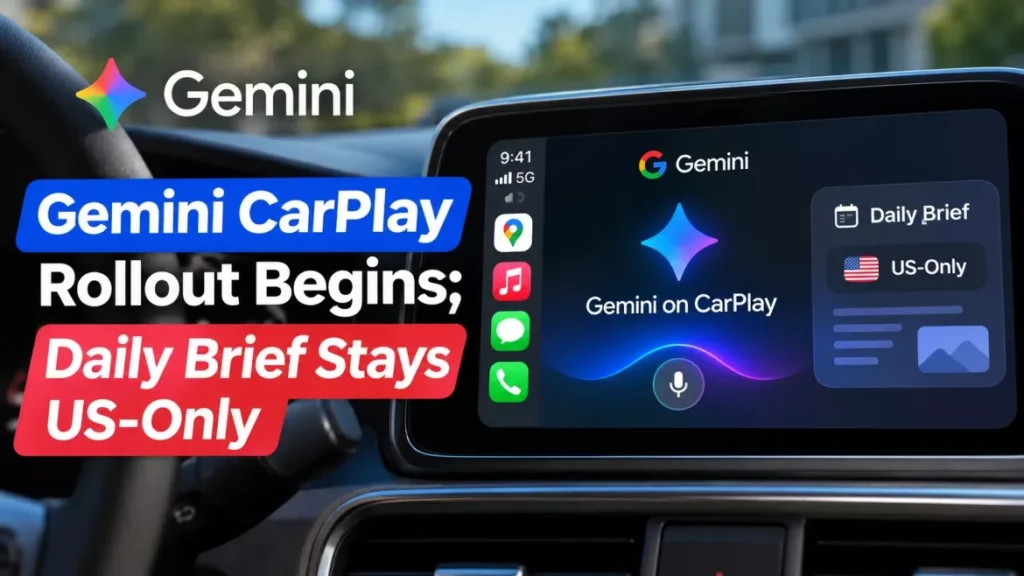

Gemini CarPlay support went live on 11 November 2026. Google says the app is rolling out to all Gemini users on iOS, in every language Gemini Live supports. The Daily Brief it demonstrates in the car is limited to users aged 18 or over in the United States.
What Gemini Does on the CarPlay Screen
Gemini now appears as its own icon on the car’s display, and tapping it opens a hands-free voice conversation.
Google, the Mountain View company that makes the Gemini assistant, says drivers can resume a recent chat or start a new one, and that conversations held in the car “sync automatically with the Gemini app on your iPhone”. The screen shows a waveform while Gemini is listening, with End and Mute controls.
In the announcement, written by senior product manager Karan Daryanani, Google gives four examples of what to ask: what the day looks like and how to prepare for a meeting; a daily brief or a summary of a long email thread; a lunch recommendation or an explanation of a landmark being passed; and open-ended help, such as rehearsing a presentation or hearing a plain explanation of how solid-state electric-vehicle batteries work.
Because this runs through Gemini Live, Google’s interruptible voice mode, a driver can cut in mid-answer to add detail or change the subject.
How to Turn On Gemini in CarPlay
Google lists four requirements, and the feature will not appear until all of them are met.
- Update the Gemini app on the iPhone to the latest version from the App Store.
- Give the Gemini app permission to use the microphone.
- Use Gemini Live on the phone at least once.
- Connect the iPhone to the car and tap the Gemini icon on the CarPlay display.
Google describes the release as a staged rollout, so the icon may not appear on the first attempt even when the app is current.
Which Features Are Limited by Country and Age
The assistant itself is global; the personalised briefing Google uses to sell it is not.
Google’s announcement says Gemini on CarPlay is “rolling out globally starting today to all Gemini users on iOS across every supported Gemini Live language”. A footnote to that same post adds that the Daily Brief has to be switched on first, and that personalisation features including the Daily Brief are not available to users under 18 or in the European Economic Area and Nigeria.
Google’s own documentation is narrower still. The Gemini Apps help page for the daily brief lists the requirement as “Be 18 or over and in the US”, says it is “Only available in English”, and states that it “is not available with a work, school, or supervised Google Account”. Google’s product page for the feature carries the same summary: “Availability varies. US-only. English-only. 18+.”
| Capability | Where it works | Stated limits |
|---|---|---|
| Gemini Live voice conversation | Worldwide, in every supported Gemini Live language | Latest app, microphone permission, one prior Gemini Live use |
| Daily brief | United States | English only; 18 or over; personal Google Account only |
| Personalisation features generally | Outside the EEA and Nigeria | Not available to users under 18 |
| Answers drawn from Gmail and Calendar | Not specified by Google | Google Workspace apps must be connected to Gemini |
Google has not explained why the CarPlay footnote names the EEA and Nigeria while the help page for the same feature says the United States only. Readers outside the United States should expect the voice assistant to work and the inbox briefing not to.
Narrow eligibility rules are becoming a pattern for Gemini features. The Call for Me feature shipped with seven separate requirements attached.
Gemini in Google Maps Compared With the Gemini App
Gemini could already answer questions on a CarPlay screen before this week, through Google Maps. The difference is what it can reach.
| Gemini in Google Maps | Gemini app on CarPlay | |
|---|---|---|
| Arrived | October 2026 | 11 November 2026 |
| How it opens | Inside the Maps navigation screen | Its own icon on the CarPlay display |
| Typical use | Questions about the route and places along it | Open-ended conversation, including Gmail and Calendar |
| Chat history | Not carried into the Gemini app | Syncs with the Gemini app on the iPhone |
Google says the CarPlay release follows the same assistant reaching Android Auto and cars with Google built-in, where Gemini has already replaced Google Assistant.
Why There Is No “Hey Gemini” in the Car
Apple, not Google, sets this limit. A driver has to tap the icon, because third-party assistants on CarPlay are not allowed a wake word.
Apple opened CarPlay to outside chat assistants in iOS 26.4, through a category for voice-based conversational apps that its CarPlay Developer Guide lists as supported starting with that version, as MacRumors reported on 18 February 2026. The same rules mean these apps answer questions but cannot control the car or the phone, so Gemini cannot set a navigation destination or change a vehicle setting.
That leaves the dashboard crowded. MacRumors notes that ChatGPT, Claude, Grok, Copilot and Perplexity already offer CarPlay apps under the same entitlement, and that iOS 27 added a Siri app alongside them.
What Google Has Not Said
- Minimum iOS version: Google has not named one for the Gemini app, although Apple’s CarPlay support for conversational apps begins at iOS 26.4.
- Supported vehicles: no list has been published; support follows CarPlay itself rather than particular models.
- App version number: Google says to install the latest Gemini app but has not given a build number to check against.
- Paid plans: Google has not said whether any part of the in-car experience requires a Google AI subscription, after a year in which it has repeatedly changed what free Gemini accounts can use.
- Language list: Google says every supported Gemini Live language is covered but has not published that list.
Status as of 12 November 2026
As of 12 November 2026, Gemini on CarPlay is rolling out worldwide and no completion date has been given.
Google announced the release on Wednesday 11 November 2026, and Bloomberg, Engadget, MacRumors and 9to5Google all reported it the same day. Some coverage noted that the updated Gemini app had not yet appeared through Apple’s distribution channels when the announcement went out, which is consistent with Google’s own description of a staged rollout rather than a single switch.
Frequently Asked Questions
Is Gemini CarPlay Available in My Country?
The voice assistant is rolling out worldwide in every language Gemini Live supports. The daily brief that draws on Gmail and Calendar is listed by Google as available in the United States only.
Why Can I Not See the Gemini Icon on My Car Screen?
Most often one of the four conditions is unmet: the app is not the newest version, microphone access is off, Gemini Live has never been used on the phone, or the staged rollout has not yet reached that account.
Can Gemini Change the Navigation or Car Settings?
No. Apple’s rules for third-party conversational apps on CarPlay allow them to answer questions but not to control vehicle or iPhone functions.
Does Gemini on CarPlay Replace Siri?
No. Siri remains the system assistant and keeps its wake word, while Gemini has to be opened from its own icon on the display.
Does It Cost Anything?
Google has not announced a charge for Gemini on CarPlay or said that a paid Google AI plan is required for it.