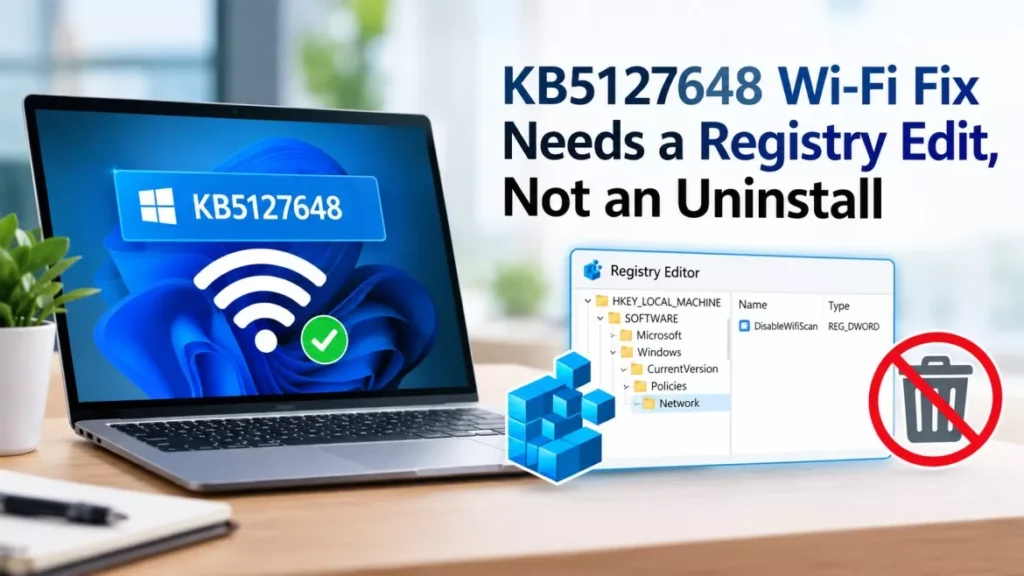

KB5127648, Microsoft’s October security update for Windows 11, stops domain-joined PCs from joining enterprise Wi-Fi networks that use PEAP with MS-CHAPv2. Released on 13 October 2026, it switched the default NTLMv1 single sign-on setting from audit to enforce. The KB5127648 Wi-Fi fix is one registry value, not an uninstall.
What Breaks, and What Does Not
The failure is narrow. It hits password-based enterprise network authentication that relies on Windows single sign-on, and leaves certificate-based and home networks alone.
- Affected: Domain-joined Windows 11 PCs using PEAP with MS-CHAPv2 in single sign-on mode, the “Use my Windows user account” option, on WPA2-Enterprise Wi-Fi and wired 802.1X. Both machine and user authentication fail.
- Not affected: Home and small-office networks using WPA2 or WPA3-Personal with a shared password.
- Not affected: EAP-TLS, the certificate-based method, which has not been reported to fail.
- Still works: Typing a domain username and password manually instead of using single sign-on, according to Keytos and the networking vendor Extreme Networks.
- Not helped by the fix: PCs running Credential Guard, which blocks the same credential path independently and was already failing before this update, per Keytos.
The authentication fails on the PC itself before any packet reaches the network’s RADIUS server. Extreme Networks, whose Extreme Control product handles this authentication, says the outer TLS tunnel completes normally and the exchange breaks inside it, logging the attempt as “Authentication request became stale”. Its advisory states plainly that “this is not an Extreme Control issue”.
Keytos reports Windows logging error 0x80070285 with WLAN-AutoConfig event 12013 for wireless and Wired-AutoConfig event 15514 for Ethernet, plus NTLM operational event 4025, “An attempt to use NTLMv1-derived credentials for Single Sign-On was blocked due to policy.” Those event IDs come from that single source.
Which Updates and Windows Versions Are Affected
Four update packages shipped on 13 October 2026, and two of them carry the change.
| Update | Windows version | Build | Reported affected |
|---|---|---|---|
| KB5127648 | Windows 11 24H2 | 26100.9711 | Yes |
| KB5127648 | Windows 11 25H2 | 26200.9711 | Yes |
| KB5127648 | Windows 11 26H2 | 26300.9711 | Yes |
| KB5126646 | Windows Server 2025 | 26100.33650 | Yes |
| KB5127646 | Windows 11 26H1 | Not reported | Not reported |
Extreme Networks notes a knock-on effect: if KB5126646 is applied to a Windows Server 2025 machine acting as the authentication server, clients that are not running Windows 11 can also start failing.
How to Restore Wi-Fi: The Registry Steps
Setting BlockNtlmv1SSO to 0 returns Windows to audit mode and restores the connection without removing the security update. The steps are the same whether applied by hand or by policy.
- Open Registry Editor as an administrator: Press Windows+R, type regedit and confirm the prompt.
- Navigate to the key: HKEY_LOCAL_MACHINE\SYSTEM\CurrentControlSet\Control\Lsa\MSV1_0
- Create the value if it is missing: Add a new 32-bit DWORD named BlockNtlmv1SSO.
- Set it to 0: Zero is audit mode; 1 is the enforce mode the update now applies by default.
- Restart the PC: The change does not take effect until the device reboots.
The equivalent command, for deployment through Intune or Group Policy Preferences, is: reg add “HKLM\SYSTEM\CurrentControlSet\Control\Lsa\MSV1_0” /v BlockNtlmv1SSO /t REG_DWORD /d 0 /f
Both Keytos and Extreme Networks list uninstalling the update as an option but advise against it. It removes October’s security fixes, and the update reinstalls itself unless updates are paused, which brings the problem back.
Why KB5127648 Caused It
Microsoft has been retiring NTLMv1, an authentication method dating from the 1990s, in stages. A registry value called BlockNtlmv1SSO controlled whether Windows merely recorded uses of NTLMv1-derived credentials for single sign-on, called audit mode, or refused them, called enforce mode.
Before 13 October, machines that had never set that value defaulted to audit mode. The October updates flip the unset default to enforce where Credential Guard is turned off. PEAP with MS-CHAPv2 in single sign-on mode needs exactly that credential, so Windows now refuses its own network login.
Microsoft’s guidance on the NTLMv1 change says administrators who cannot migrate affected systems straight away can temporarily set the value to 0 to restore audit mode while it works on a permanent solution, as reported by Neowin and Windows Report. That guidance describes the deprecation, not this specific breakage.
It has happened before on almost the same networks. In December 2023, Windows 11 update KB5033375 broke Wi-Fi across university campuses, also on enterprise 802.1X.
Microsoft Release Health Does Not List This Issue
As of 17 October 2026, there is no known-issue entry for the 802.1X or PEAP failure on Microsoft’s Windows release health page for version 24H2, which was last updated at 17:45 UTC on 16 October.
That page lists three October items instead: desktop loading and black screens on Azure Virtual Desktop hosts, marked resolved by KB5127648; AC-3 audio decoding crashes, also resolved by KB5127648; and Remote Desktop connections failing for non-admin users with error 0xC000000D, marked mitigated. Several outlets have written that Microsoft “confirmed” or “admitted” the Wi-Fi fault, but what exists publicly is the NTLMv1 deprecation guidance, not a tracked known issue with a fix date.
The practical difference matters to administrators. Without a release health entry there is no Known Issue Rollback group policy to deploy, no safeguard hold to stop the update reaching more machines, and no published target for a permanent fix.
Windows 11 24H2 Home and Pro Reached End of Updates the Same Day
KB5127648 arrived on the day 24H2 stopped receiving updates for two editions. Microsoft’s release health page states that “as of October 13, 2026, Windows 11, version 24H2 Home and Pro editions have reached end of updates”, while 24H2 Enterprise and Education editions remain supported until 12 October 2027.
So a 24H2 Pro machine that installed KB5127648 and lost its network authentication cannot expect a future monthly update to repair it. The registry value is the remedy available to it unless it moves to 25H2 or 26H2. Enterprise and Education devices on 24H2 remain in line for a fix if Microsoft ships one. Our earlier report on Windows 11 24H2 end of support sets out the upgrade paths, and the wider October patch picture is in our Patch Tuesday October 2026 round-up.
What Administrators Should Do Next
The registry value re-enables a credential path Microsoft is deliberately retiring, so it buys time rather than solving the problem. Keytos and Extreme Networks both recommend the same destination: move network authentication off passwords to certificates, using EAP-TLS, or EAP-TEAP with TLS.
Extreme Networks suggests checking whether a machine has the patch with the PowerShell command Get-HotFix -Id KB5127648. One migration detail is easy to miss: an EAP-TLS client cannot connect unless the authentication server can complete a revocation check on the certificate chain, so revocation settings need to be right before any cutover.
KB5127648 Wi-Fi Fix FAQ
What Registry Value Fixes KB5127648 Wi-Fi Failures?
Create or set BlockNtlmv1SSO as a 32-bit DWORD under HKEY_LOCAL_MACHINE\SYSTEM\CurrentControlSet\Control\Lsa\MSV1_0 and give it the value 0, then restart the PC. Zero returns Windows to audit mode for NTLMv1 single sign-on.
Should KB5127648 Be Uninstalled Instead?
Keytos and Extreme Networks both advise against it. Uninstalling removes October’s security fixes, and Windows reinstalls the update unless updates are paused, which returns the device to a broken state.
Has Microsoft Published a Known Issue for This?
Not as of 17 October 2026. Microsoft’s Windows release health page for version 24H2 carried no entry for the 802.1X or PEAP failure when last updated at 17:45 UTC on 16 October.
Which Windows Versions Are Affected?
Reports name domain-joined Windows 11 24H2, 25H2 and 26H2 running KB5127648, and Windows Server 2025 running KB5126646. Windows 11 26H1, which received KB5127646, has not been reported as affected.
Does Home Wi-Fi Stop Working?
No. Networks secured with a shared WPA2 or WPA3-Personal password are unaffected. The failure applies to enterprise 802.1X networks using PEAP with MS-CHAPv2 single sign-on.
What Is the Permanent Solution?
Moving network authentication from PEAP with MS-CHAPv2 to certificate-based EAP-TLS, or EAP-TEAP with TLS, which does not use the NTLM credential path Microsoft is retiring.