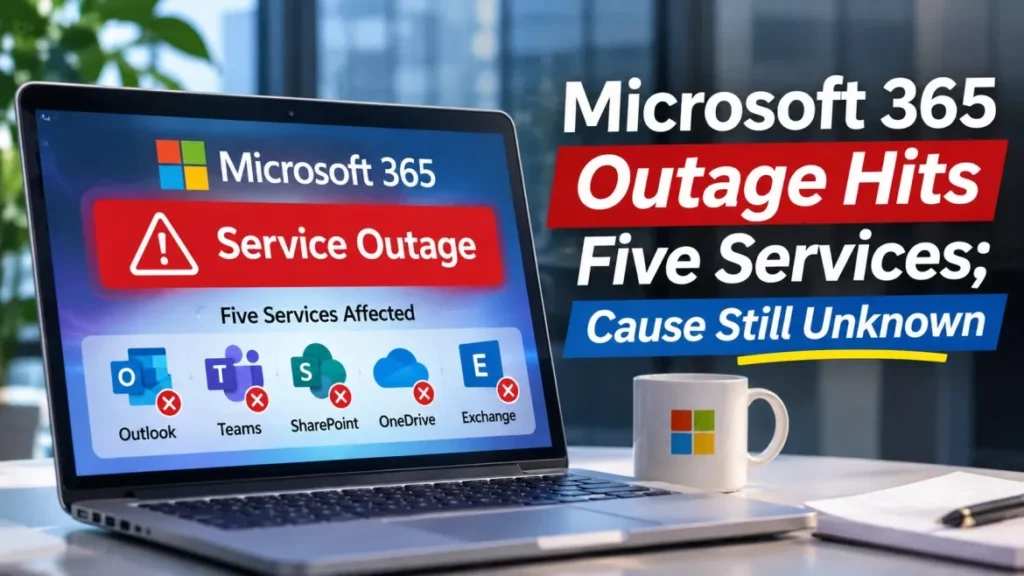

A Microsoft 365 outage has disrupted Outlook, Microsoft Teams, SharePoint Online, Microsoft 365 Copilot and Microsoft Defender XDR. Microsoft dates the start to 1:26 p.m. Eastern Time on 12 November 2026 and says users in any region may be affected. It has not named a root cause.
Current Status of the Microsoft 365 Outage
The outage is not over. Microsoft’s public service health status page was last updated at 9:41:46 p.m. UTC on Thursday 12 November 2026 and still reported a “Service degradation” under the heading “Users may be unable to connect to multiple Microsoft 365 services”. That is roughly three hours and fifteen minutes after the incident began, and the early hours of Friday 13 November in Europe, Asia and Australia.
Microsoft has given no estimate for full restoration. Downdetector, the third-party service that collects user reports, showed the problem easing rather than ending: reports for Outlook peaked at about 130,000 shortly after 1 p.m. Eastern Time, according to the Associated Press and Al Jazeera, and had fallen to roughly 77,000 just before 3 p.m. Eastern Time. NBC News recorded more than 120,000 Outlook reports at about 1:30 p.m. Eastern Time. Tom’s Guide counted about 59,595 reports across all Microsoft services at 3:50 p.m. Eastern Time.
Microsoft is tracking the disruption under two reference numbers in the Microsoft 365 admin center: EX1550543 for Exchange Online and MO1550821 for the wider Microsoft 365 incident. Administrators who cannot reach the admin center can read the same advisory on the public status page, which Microsoft publishes precisely because an outage of this kind can lock administrators out of the console.
What Microsoft Says Caused It
Microsoft says the outage is a capacity problem, not a traffic problem. Its first explanation pointed to elevated infrastructure load across multiple regions. It then narrowed that, saying in an update posted by its Microsoft 365 Status account that the elevated load was not driven by an increase in traffic but by a number of servers becoming unexpectedly unavailable, straining the infrastructure that remained.
The company later traced the unavailability to automated health checks. Servers were failing those checks and being pulled out of service, and Microsoft said its investigation indicated the failed checks may originate from a specific component responsible for processing server health. A health check is an automatic test a data centre runs on each server; a server that fails is treated as broken and taken out of rotation, whether or not it really is.
Microsoft has also said it has not identified any recent change correlated with the start of the impact. That wording matters: it rules out, for now, the simplest explanation for a sudden fleet-wide fault, which is a software deployment. Microsoft has listed the steps it took as pausing all deployments, moving traffic off the affected infrastructure, restarting the affected servers and testing a configuration change to bypass the component processing the health checks. In a mid-afternoon update, Microsoft said many of the affected servers had become unresponsive, which was preventing it from confirming whether that change was working.
On the question most readers ask about a sudden outage of this size, Microsoft has disclosed no evidence of a cyberattack, according to SecurityWeek’s reading of its service advisories. It has not formally ruled one out either, and the investigation remains open.
Which Microsoft 365 Services Are Affected
Microsoft’s own advisory names five services. The table below separates what Microsoft has confirmed from what users additionally reported.
| Service | Source of the report |
|---|---|
| Exchange Online (Outlook mail) | Named by Microsoft; tracked as EX1550543 |
| Microsoft Teams | Named by Microsoft |
| SharePoint Online | Named by Microsoft |
| Microsoft 365 Copilot | Named by Microsoft |
| Microsoft Defender XDR | Named by Microsoft |
| OneDrive, Azure, Microsoft Store | User reports on Downdetector, not named in the advisory |
Microsoft first described the symptom as users in the Americas being unable to connect to Exchange Online mailboxes through multiple connection methods, meaning the Outlook desktop app, Outlook on the web and the mobile apps alike. It later widened that to say Microsoft 365 connectivity may be affected for users in any region.
SecurityWeek also reported that some Google Workspace customers had trouble reaching Google-hosted mailboxes through Outlook desktop and mobile clients during the same window. That detail appears in SecurityWeek’s account and has not been confirmed by Microsoft or Google.
Who Is Affected and Who Is Not
The public advisory is filed under “Microsoft 365 (Business or Enterprise)”, so the confirmed impact is on work and school accounts rather than free consumer mail. Microsoft has not published a separate advisory for personal Outlook.com accounts.
That is not the same as saying consumers were untouched. Downdetector reports during the same hours covered OneDrive and the Microsoft Store, which personal account holders use, and Microsoft’s own wording about “multiple Microsoft 365 services” is broad. What is missing is any Microsoft statement putting a number or a boundary on consumer impact.
Geographically, the confirmed starting point is the Americas and the confirmed reach is, in Microsoft’s words, any region. Microsoft has not published a list of affected countries or data centre regions.
Is Any Email Lost?
No source reports lost mail, and the symptoms described are connection failures rather than missing data. Users could not reach their mailboxes; nothing in Microsoft’s advisories or in the day’s reporting says messages were deleted or corrupted.
In an Exchange Online disruption of this shape, mail sent to an affected mailbox is normally queued by the sending server and delivered once the destination accepts connections again, which is why delayed arrival is common after service returns. Microsoft has not issued a statement on message delivery for this incident, so treat that as the ordinary behaviour of the system rather than a promise about this outage.
What to Do Now
There is no user-side fix for a server-side outage, and Microsoft has not recommended a workaround. These steps are about avoiding harm while you wait.
- Do not reinstall Office or reset your password: neither touches the servers that are failing, and a password change during an outage can leave you locked out of other services afterwards.
- Check the status page, not the admin center: status.cloud.microsoft carries the same advisory and stays reachable when the admin console does not.
- Quote the incident ID when you raise a ticket: EX1550543 for mail, MO1550821 for everything else, so your IT team can match your report to the live incident instead of troubleshooting your device.
- Move urgent conversations off Microsoft 365: a phone call or SMS does not depend on the infrastructure that is degraded, and Teams is one of the affected services.
- Test in one place first when service returns: open Outlook on the web before trusting the desktop client, so you can tell a lingering service problem from a local cache problem.
Readers who work in IT may also want the detail of this month’s Microsoft updates, which shipped two days before the outage; our report on Patch Tuesday November 2026 covers what was fixed.
Timeline of the 12 November Outage
All times are Eastern Time on Thursday 12 November 2026 unless stated otherwise.
- 9:45 a.m. to 10:53 a.m.: A separate Microsoft Teams incident, logged as TM1550488, runs and is resolved. BleepingComputer reports that Microsoft has not said whether it is connected to what followed.
- Late morning: Microsoft begins investigating reports that users in the Americas cannot connect to Exchange Online mailboxes.
- 1:26 p.m.: Microsoft dates the start of the wider Microsoft 365 incident, MO1550821, to this point.
- Shortly after 1 p.m.: Downdetector reports for Outlook peak at about 130,000.
- Early afternoon: Microsoft says the elevated load comes from servers unexpectedly becoming unavailable rather than from extra traffic, and begins redistributing connection traffic.
- Mid-afternoon: Microsoft pauses all deployments, restarts affected servers and tests a configuration change to bypass the health-check component. It says many affected servers have become unresponsive, so it cannot yet confirm the change is working.
- Just before 3 p.m.: Downdetector reports for Outlook are down to about 77,000. Both incidents are still listed as service degradations.
- 9:41 p.m. UTC: Microsoft’s public status page is last updated and still shows a service degradation across multiple Microsoft 365 services.
What Microsoft Has Not Said
Four things remain unknown, and each one is a reason to treat any account of this outage as provisional.
- The root cause: Microsoft has described the mechanism, failing health checks, but not why the component processing those checks began failing.
- A restoration time: no estimate has been published for full recovery.
- Whether the morning Teams incident is related: Microsoft has not linked or separated TM1550488 and MO1550821.
- The scale: Microsoft has given no figure for the number of affected users, mailboxes or tenants, and the Downdetector counts measure complaints, not outages.
Cloud outages of this kind are usually explained days later, in a post-incident review rather than a live status update. A Google Cloud failure in October produced an eight-hour disruption to UK banking apps before Google identified a power event in a single zone, as we reported in that Google Cloud outage.
Frequently Asked Questions
Is Microsoft 365 Still Down?
Microsoft’s public status page still showed a service degradation at its 9:41:46 p.m. UTC update on 12 November 2026. User complaints had dropped substantially from their afternoon peak, so some people were working normally while others were not.
What Caused the Microsoft 365 Outage?
Microsoft says servers were failing automated health checks and being taken out of service, which overloaded the servers still running. It has not explained why those checks started failing, and it says no recent change lines up with the start of the problem.
Will I Lose Emails Sent During the Outage?
Nothing in Microsoft’s advisories or in Thursday’s reporting points to lost or deleted mail. The reported symptom was an inability to connect to mailboxes, and messages sent to a mailbox that is refusing connections are normally queued by the sender and delivered later.
Does the Outage Affect Personal Outlook.com Accounts?
Microsoft’s advisory is filed under Microsoft 365 for Business or Enterprise, which covers work and school accounts. The company has not issued a separate notice for free personal accounts, though user reports during the same hours included consumer services such as OneDrive.
How Can I Check the Status Without an Admin Account?
Microsoft publishes the same advisory at status.cloud.microsoft, which needs no sign-in. Microsoft says it posts there because administrators may be unable to reach the admin center during an incident like this one.