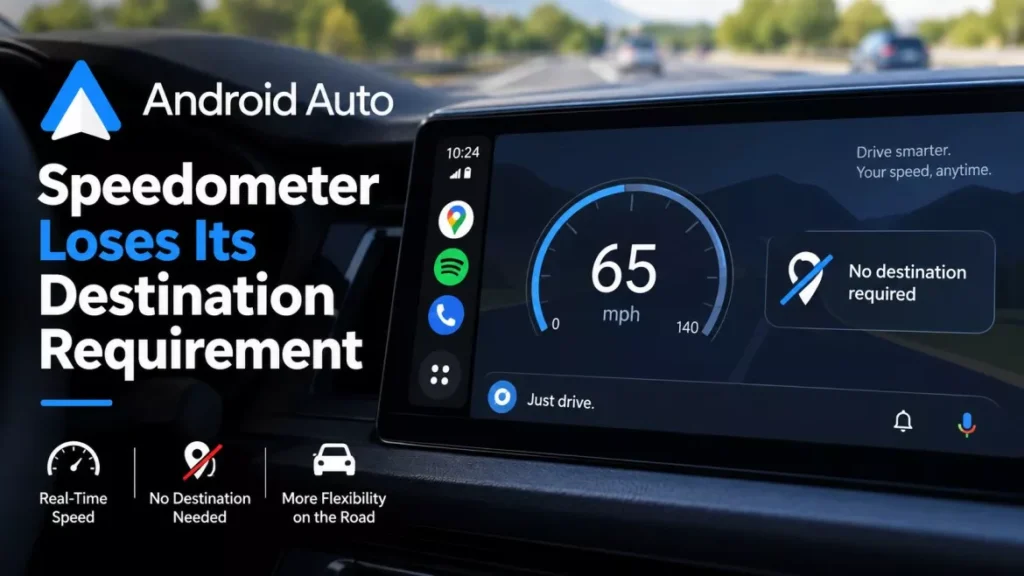

Google Maps has begun showing the Android Auto speedometer without a destination set. The speed limit, traffic signals and stop signs now appear alongside it on the car screen during ordinary driving. A Google employee confirmed the staged rollout in mid-September 2026, after drivers reported the readout vanishing.
What Changed on the Car Screen
Until now the speedometer only appeared once a route was running. Start the car, open Maps, drive without picking a destination, and the dial was absent by design.
The version now reaching drivers removes that condition. The current speed sits next to the posted limit, and the same panel carries traffic signal and stop sign markers, whether or not navigation is active. Google has not attached a version number to the change, and has not said which countries receive it first.
Why the Speedometer Seemed to Disappear
Two separate things happened at once, which is why the reports contradicted each other. One was a staged rollout that some drivers had and others did not. The other was a genuine fault.
Mishaal Rahman, who works on Android community engagement at Google, addressed the confusion in a post on the r/AndroidAuto forum: “I spoke with a member of the Android Auto product team and was informed that the ability to have the speedometer, speed limit, and traffic signals/stop signs showing without a destination set is still rolling out. Thus, not everyone will have this particular feature yet.”
In other words, a large share of the drivers who believed the feature had been removed were seeing the old behaviour working exactly as designed. They had noticed the dial during navigation, assumed it was permanent, and then found it missing when they drove without a route.
That does not account for everyone. Separate reports describe the speedometer disappearing during active navigation, and coloured traffic lines dropping out of the map from late August 2026. The Android Auto team has been investigating those, and Google has not published a fix date.
What Shows With and Without a Destination
| On the Android Auto screen | With a route set | Without a route set |
|---|---|---|
| Live speedometer | Shown | Rolling out |
| Posted speed limit | Shown where available | Rolling out |
| Traffic signals and stop signs | Shown | Rolling out |
Speed limits are not universal. Google’s documentation says the feature depends on the location, so a driver in a country without limit data will see a speedometer and no limit beside it.
How to Check Whether You Have It
The control is not in Android Auto. It lives in Google Maps on the connected phone, which is the single most common reason drivers cannot find it.
- Update both apps: install the current Google Maps and Android Auto releases from the Play Store.
- Open the setting on the phone: tap your profile picture in Google Maps, then Settings, then Navigation.
- Turn on the toggle: under Driving options, switch Speedometer on.
- Connect and drive: plug into Android Auto and drive without setting a destination. If the dial appears, the rollout has reached you.
Nothing on the car screen reveals whether the always-on version has arrived, and there is no separate toggle for it. Google’s own help page for the speedometer covers phones and does not mention Android Auto at all, which is part of why drivers have struggled to establish what they are entitled to see. That page also carries the company’s caution: “Speedometers shown in the Google Maps app are for informational use only. Make sure to use your vehicles’s speedometer to confirm your actual driving speed.”
How the Feature Arrived, Month by Month
- July 2026: the live speedometer starts appearing in Google Maps on Android Auto, years after the same readout reached iPhone and Apple CarPlay.
- Late August 2026: drivers report coloured traffic lines missing from the Android Auto map.
- Early September 2026: reports spread that the speedometer, speed limit and sign markers have gone.
- Mid-September 2026: Rahman posts the product team’s explanation that the no-destination version is still rolling out.
- 14 September 2026: the rollout is reported as under way more widely.
What Google Has Not Said, as of 15 September 2026
As of 15 September 2026 there has been no blog post, no release note and no help-page update covering the always-on behaviour. Google has not named a Google Maps or Android Auto version that carries it, has not given a completion date for the rollout, and has not said which markets are included.
It has also not confirmed whether the disappearing-speedometer reports from active navigation share a cause with the traffic layer fault, or whether they are unrelated. Both remain open.
Frequently Asked Questions
Why Is My Android Auto Speedometer Missing?
Most likely because you were driving without a destination set, which is the behaviour the older version was built for. Google says the version that shows the dial with no route is still rolling out, so not every driver has it yet.
Where Is the Speedometer Setting?
In Google Maps on your phone, not in Android Auto. Tap your profile picture, then Settings, then Navigation, then turn on Speedometer under Driving options.
Does the Speed Limit Show Everywhere?
No. Google’s documentation says the speed limit display depends on whether the feature is available in your location, so the speedometer can appear with no limit beside it.
Is the Android Auto Speedometer Accurate Enough to Rely On?
Google says not. Its help page states the speedometer is for informational use only and tells drivers to confirm their speed on the vehicle’s own instrument.