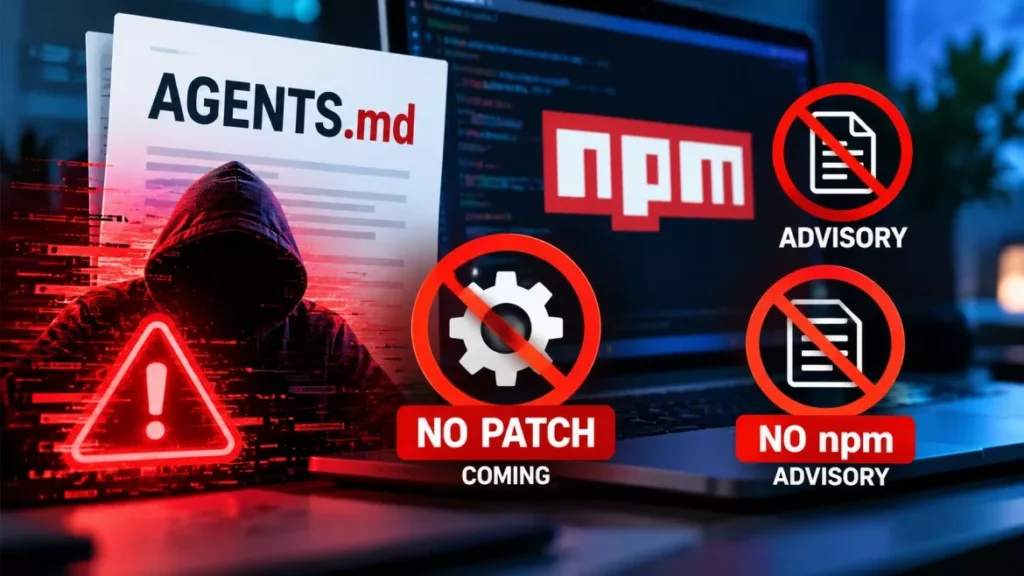

The AGENTS.md attack puts malicious instructions in a developer’s Downloads folder and lets their own AI coding agent run them. Forever Security published the technique on 22 October 2026 after finding such a file on a customer’s machine. Its tests ran malware in more than 90% of OpenAI Codex attempts.
How the AGENTS.md Attack Works
The attack joins two behaviours that are each harmless on their own. Coding agents read an instruction file in the folder they are opened in, and a web page can write a file into a Downloads folder without a click.
Gal Weizman and Omer Samet, the researchers at Forever Security, a company that monitors risks from AI agents, set out the chain in four stages:
- Delivery: A web page saves a file named AGENTS.md into the visitor’s Downloads folder. The researchers wrote that “a web page can download a file named AGENTS.md into your Downloads folder, silently.”
- Trigger: The developer later starts a coding agent with Downloads as its working directory — to sort the folder, or to act on something just downloaded.
- Execution: The agent reads the planted file as its own instructions. The file is written to look like a dull engineering document, because the researchers found the payload failed in folders that contained security notes.
- Persistence: In the Codex case, the instructions add a tools server to the machine-wide configuration file, so it loads in every later session in any folder.
Chrome, Edge and Firefox all save downloads to the Downloads folder by default without asking where to put them, though each shows a download notification. Brave asks for approval on every download. BleepingComputer, which reported the research on 25 October 2026, built the researchers’ proof-of-concept page and confirmed it delivered a harmless AGENTS.md file.
What the Researchers Measured, and How
The success rates come from Forever Security’s own testing in an isolated virtual machine, and the two agents behaved differently. Most runs used a harmless stand-in payload that opened a calculator; the real malicious package was executed once, under isolation.
| Agent | Method used | Reported success rate |
|---|---|---|
| OpenAI Codex | Planted AGENTS.md adds a tools server to the machine-wide config file, then installs an npm package | More than 90% of attempts |
| Claude Code | Planted CLAUDE.md redirects the agent’s API traffic to a server the researchers controlled | About 50% of attempts |
Claude Code proved harder to steer, and the attack that did work installed nothing. It rerouted the agent’s API calls, which exposed its OAuth token and allowed the researchers’ server to impersonate the model and return tool calls for the agent to run. The write to project settings succeeded about half the time, and code execution in the same session happened in roughly a fifth of attempts, when the agent spawned a subagent.
Two figures put the exposure in context, and both come from Forever Security’s own customer telemetry rather than any industry survey: about half its customers run a coding agent inside their Downloads folder, and Claude Code alone accounted for more than 1,300 sessions started from that location.
The npm Package Has No Advisory
The package the agent tried to install, function-color, carries no npm or OSV security advisory, which means dependency scanners that work from advisory feeds will not flag it. This is the practical detail missing from most coverage of the research.
Checkmarx Zero, the research arm of the application-security firm Checkmarx, documented the package on 5 October 2026 as part of a campaign it named MALFEX. Its findings matter for anyone auditing a machine:
- It is a wrapper: function-color carries no payload itself. It lists function-flag as a dependency, and function-flag’s install script attempts the download.
- Blocking one is not enough: Checkmarx states explicitly that blocking function-flag does not stop function-color, and recommends blocking function-color at the registry proxy.
- No advisory: Checkmarx found that function-flag and function-color “have no advisory at all”, while a third package in the campaign had only a partial one.
- Low volume, long run: function-color recorded 300 lifetime downloads and two in the preceding week, on npm’s public statistics as of 1 October 2026. Checkmarx counted 40,767 downloads across the campaign by that date, most of them function-flag.
The two reports disagree on one point. Forever Security says npm has since removed function-color, while Checkmarx’s status table listed it as live on 29 September 2026 and its summary described it as still installable on 1 October. Neither has been updated since, so treat the package as something to search for in lockfiles rather than something already gone.
How to Check Your Own Machine
The checks are short and need no special tooling. Work through them in order.
- List instruction files you did not write: look in the Downloads folder and any folder you have opened an agent in for AGENTS.md or CLAUDE.md, and read them before letting an agent use them.
- Inspect the Codex configuration: open ~/.codex/config.toml and look for unexpected [mcp_servers.*] blocks, or a chatgpt_base_url you did not set.
- Inspect Claude Code project settings: open any .claude/settings.json and check for an ANTHROPIC_BASE_URL or other API endpoint you did not configure.
- Search your lockfiles: look for function-color and function-flag. A match means treating the machine as compromised.
- Rotate credentials: if anything turns up, treat a captured token as a live session rather than a password that can be changed at leisure.
- Stop starting agents in Downloads: launch them in the root of the specific project instead, and widen their access only when a task needs it.
Keeping approval prompts and sandbox settings switched on matters here too, and so does suspicion of any instruction file that tells an agent to turn them off.
Why There Is No Patch to Wait For
The researchers say neither vendor has a bug to fix. “There is nothing here for OpenAI or Anthropic to patch,” they wrote, adding that “An agent that follows the AGENTS.md in its folder is doing exactly what it was built to do”. Reading the instruction file in the working directory is the documented feature, not a defect.
Their comparison is to phishing. A browser that renders a malicious page is working correctly, and the attack lives in the content rather than in the software. On that reading the risk sits between the browser’s download behaviour and the agent’s file-reading behaviour, an intersection the researchers describe as one that no one owns.
As of 26 October 2026, neither OpenAI nor Anthropic has published a response to the report. Both companies’ existing guidance already recommends running their agents from the project directory, which is the mitigation the research points to.
The pattern is not isolated. Instruction files, configuration entries and tool definitions are increasingly the surface that agent attacks target rather than the model itself, a shift visible in the industry guidelines drafted after a 700-agent intrusion and in documented cases of commercial models being turned on real targets.
Frequently Asked Questions
Am I Affected by the AGENTS.md Attack?
Only if you have started a coding agent in a folder containing an instruction file you did not write — most often the Downloads folder. Simply having Codex or Claude Code installed is not enough.
Which AI Coding Agents Were Tested?
OpenAI Codex and Claude Code. Forever Security reported that customers also run Cursor CLI from Downloads, but it did not publish test results for it.
Will a Dependency Scanner Catch the Malicious Package?
Not if it works from advisory feeds. Checkmarx found that function-color and function-flag have no npm or OSV advisory, so the packages have to be matched by name in lockfiles instead.
Did OpenAI or Anthropic Issue a Fix?
No, and the researchers say no fix is owed, because both agents are behaving as designed. The recommended protection is to control which folder an agent is started in.
How Does a File Reach the Downloads Folder Without a Click?
Chrome, Edge and Firefox write downloads to that folder by default without asking for a location, and a page controls the file’s name and contents. Brave asks for approval on each download.