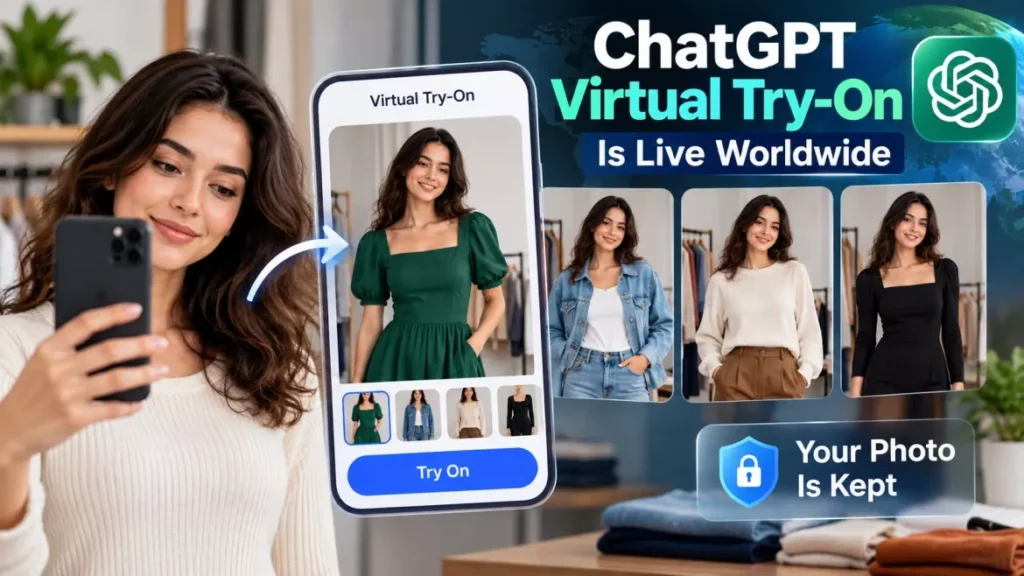

ChatGPT virtual try-on launched worldwide on 1 October 2026. A Try on button now appears on clothing and accessory listings in ChatGPT, and tapping it asks for a selfie or full-body photo that ChatGPT Images 2.5 uses to render the item on you. The photo is saved by default.
How to Try On an Item in ChatGPT
The feature runs inside a normal ChatGPT conversation, with no separate app to install. OpenAI, the San Francisco company behind ChatGPT, released it alongside a second shopping feature called Favorites.
- Ask for a product: search for clothes or accessories in ChatGPT as you would any other question.
- Select Try on: the button appears on individual product listings in the shopping results.
- Add a photo: take a selfie or upload a full-body photo when prompted.
- Review the generated image: ChatGPT Images produces a picture of you wearing the item, and the same reference photo is reused on your next try-on without asking again.
As of 3 October 2026, Try on works in ChatGPT on the web and in the mobile apps, and OpenAI described the release as global. The company has not published a list of subscription tiers that include it or any country exclusions.
It Also Works on Screenshots From Any Store
You are not restricted to items ChatGPT already lists. The feature accepts an uploaded screenshot or image of a product from any retailer, and will attempt to place that garment on your reference photo.
Two related behaviours shipped at the same time. ChatGPT will take a description of a look and find pieces that complete it, and it will take a photo of an outfit someone else is wearing — a celebrity shot, for instance — and try to identify comparable items you can buy.
Where Your Reference Photo Goes
The selfie you upload is stored on your account until you remove it. This is the part the launch coverage mostly skipped, and it matters because the photo in question is a full-body image of you.
- Saved by default: the reference photo is retained so later try-ons do not prompt you again.
- Where to change or delete it: Settings, then Personalization, then Reference photos.
- Model training: on personal accounts, uploaded images can be used to improve OpenAI’s models unless you turn that off in your data controls.
- Business and Enterprise accounts: excluded from that training by default.
If you would rather not leave the image on the account, the deletion path above removes it without disabling the feature; you will simply be asked for a photo again next time.
What the Try-On Image Cannot Tell You
A generated image is a styling preview, not a fitting. OpenAI cautions that the result cannot reproduce how a garment will actually fit, and that shoppers should still check official size charts and return policies before buying.
Early users also reported that the model sometimes alters details it was not asked to change, including hair and styling, when it renders the garment. That observation comes from launch-day reporting rather than from OpenAI, and the company has not published accuracy figures for the feature.
The ordinary rules of buying from an unfamiliar shop still apply, and our guide to spotting unsafe online stores is worth a look before you follow a link an assistant surfaced.
Favorites, and the Model Underneath
Favorites is a library for products you want to come back to. Items you save sit alongside the try-on images you generated for them, and can be grouped into folders, which turns a scattered set of chats into something closer to a shopping list.
Both features run on ChatGPT Images 2.5, a new version of OpenAI’s image model released at the same time. OpenAI says it “produces more natural lighting and richer textures, follows editing instructions more reliably and reduces image-generation latency” than its predecessor.
How It Compares With Google’s Try-On
Google reached this idea first, but from the opposite direction. Its version lives inside search and shopping results rather than inside a chat assistant.
| ChatGPT Try on | Google virtual try-on | |
|---|---|---|
| Where you start | A ChatGPT conversation | A product listing in Google Search, Shopping or Images |
| What you supply | A selfie or full-body photo, saved for reuse | A full-length photo of yourself |
| Works on outside listings | Yes, from an uploaded screenshot | Tied to Google’s own product results |
| First available | 1 October 2026, described as global | May 2025 in the United States, via Search Labs |
Google widened its version in October 2025 to Australia, Canada and Japan and added shoes. The two products are not direct equivalents: Google’s is a shopping feature with a try-on step, while OpenAI’s is a general assistant that can now be pointed at any garment it is shown.
ChatGPT Virtual Try-On: Questions Readers Are Asking
Is ChatGPT Virtual Try-On Free?
OpenAI has not said which subscription tiers include it. The company described the release as global across web and mobile on 1 October 2026 without naming plan restrictions.
Does ChatGPT Keep the Photo I Upload?
Yes. The reference photo is saved to your account by default so later try-ons do not prompt for it again. You can replace or delete it under Settings, Personalization, Reference photos.
Can I Try On Something That Is Not Listed in ChatGPT?
Yes. You can upload a screenshot or photo of an item from any store and ask ChatGPT to show it on you.
Will the Image Show Whether Something Fits?
No. OpenAI says the generated image cannot reproduce real fit, and advises checking the retailer’s size chart and return policy before buying.
Which Model Generates the Try-On Images?
ChatGPT Images 2.5, released on 1 October 2026 alongside the shopping features.