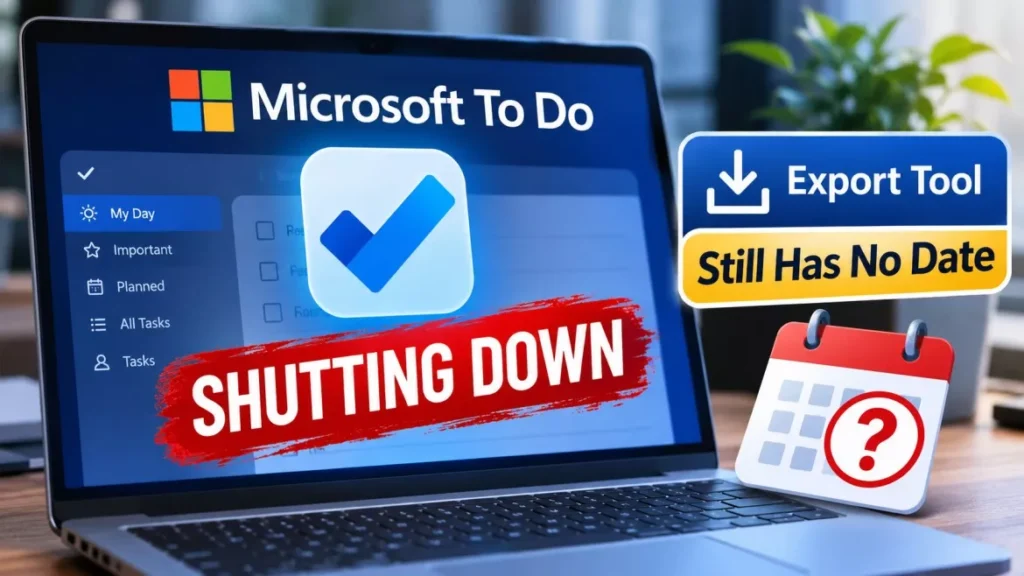

Microsoft is shutting down its To Do apps on 30 June 2027. The retirement covers Windows, Mac, iOS, Android and the web, for both work or school accounts and personal Microsoft accounts. Microsoft has promised an export tool but has published no date for it.
Microsoft To Do Shutting Down: The Dates That Are Set
Only one date in the plan is fixed, and three other timelines remain unannounced.
Microsoft, the Redmond company behind Windows and Microsoft 365, published the retirement notice in a support document during the week of its Ignite conference in November 2026. The document states plainly that the To Do apps will retire on 30 June 2027. Everything else in the plan is either later or undated.
| What changes | When |
|---|---|
| Planner’s updated My tasks experience begins rolling out | December 2026 |
| To Do apps stop working on web, Windows, Mac, iOS and Android | 30 June 2027 |
| Existing To Do tasks stop being viewable in Planner | 30 June 2027 |
| The To Do service, its APIs and sync support retire | Separate, later timelines; not announced |
| Export tool becomes available | Before the apps retire; no date given |
As of 22 November 2026, 30 June 2027 is the only date Microsoft has committed to. The company has not said when the back-end service and APIs will follow, nor when the export option will appear.
Will Your Tasks Be Deleted?
No. Microsoft states that app retirement does not itself schedule existing task data for deletion.
That distinction matters, and it is narrower than it sounds. Your task data is not marked for deletion on 30 June 2027, but the apps you use to reach it stop working that day, and existing To Do tasks stop being viewable in Planner at the same time. The data outliving the apps is not the same as you being able to open it.
Microsoft advises organisations with retention or compliance requirements to consult their administrator before deleting or reorganising task data. For a personal account, the practical reading is simpler: get a copy of anything you want to keep before the apps close.
Who Is Affected, by Account Type
The retirement reaches every To Do user, but the replacement only reaches some of them.
- Work or school accounts: Microsoft points these users to Planner, whose updated My tasks experience starts rolling out in December 2026. Existing tasks and lists are not moved into it.
- Personal Microsoft accounts: Planner is not available for these accounts. Microsoft’s guidance is to review what you want to keep and choose another task-management app.
- Microsoft 365 Personal and Family subscribers: A paid consumer subscription does not change this. These accounts are treated as personal Microsoft accounts and get no Planner access.
Microsoft’s wording acknowledges the split. Howard Crow, the company’s Director of Product for Agents and AI, said in a statement reported by Thurrott.com that “We recognize this change will affect customers differently, particularly those using personal Microsoft accounts”.
What the Export Will and Will Not Do
Microsoft has committed to an export option but has told users in advance that it may not get their tasks into another app.
The support document says Microsoft will provide a way to export To Do data before the apps retire, and that the instructions, supported data, requirements and limitations will be published later. It then sets the expectation directly: an export does not mean that the content can be imported into Planner or another application.
So the export is best understood as a backup, not a migration. Nothing Microsoft has published guarantees that a rival task app will read the file, and no format has been named.
There is precedent for treating the promise cautiously. Microsoft also retired Microsoft Publisher after 35 years, and it has ended support for other Microsoft 365 components on similar notice. To Do is also the second task app Microsoft has closed: it bought Wunderlist, announced that app’s shutdown in December 2019 and closed it on 6 May 2020, having built To Do with members of the Wunderlist team. The purchase price was never officially confirmed; reports at the time put it between roughly $100 million and $200 million.
What Planner Does Not Replace
Planner is the destination for work accounts, but it does not match To Do feature for feature.
- Native desktop apps: Planner has no native Windows or macOS application, and Microsoft said in its FAQ that it is not building them. Mac and Windows users reach Planner through a browser or Teams.
- List groups: Microsoft’s FAQ states that To Do list groups do not have a direct equivalent in Planner.
- Printing and emailing lists: Those features are not planned for the replacement.
- Shared list structure: Because nothing migrates automatically, shared lists have to be rebuilt by hand, along with who can see them.
What Still Works After 30 June 2027
Two things survive the retirement, and one of them is easy to miss.
The legacy Outlook tasks experience, which syncs through Exchange rather than through To Do, continues to be supported. For anyone whose tasks live in classic Outlook, that path is unaffected by this announcement. Microsoft has also said Outlook and Teams integrations will be updated to work with Planner.
The To Do service and its APIs also keep running past 30 June 2027, because they retire on a separate timeline that Microsoft has not dated. That is a reprieve rather than a plan: anything built on the To Do API, including automation flows and third-party integrations, will eventually need replacing, and there is no deadline yet to work back from.
What to Do Before the Apps Retire
Nothing needs doing today, but a few steps are worth taking well before June 2027.
- Audit what you actually use: Identify the lists, recurring tasks and shared lists that would hurt to lose, rather than exporting everything blindly.
- Keep a manual copy of anything critical: Until the export tool ships, copying important lists into a document or spreadsheet is the only method Microsoft has made available.
- Watch for the export tool: Microsoft has not dated it, so check the support document rather than waiting for a prompt inside the app.
- Test a replacement before you commit: Because the export may not import anywhere, trial a candidate app with a small list first to see how much has to be retyped.
- Check your automations: If you have flows or scripts calling the To Do API, note that they will break on a timeline Microsoft has not yet announced.
Frequently Asked Questions
When Does Microsoft To Do Stop Working?
The To Do apps retire on 30 June 2027 across the web, Windows, Mac, iOS and Android. That single date applies to both work or school accounts and personal Microsoft accounts.
Will I Lose My Tasks When Microsoft To Do Shuts Down?
Microsoft says app retirement does not by itself schedule task data for deletion, but you lose the apps used to open it on 30 June 2027. Take a copy of anything you want to keep before that date.
Can I Move My To Do Tasks Into Planner?
Not automatically. Microsoft states that existing To Do tasks and lists will not migrate to Planner, and Planner is not available to personal Microsoft accounts at all.
Is There a Microsoft Replacement for Personal Accounts?
No. Microsoft’s guidance to personal account holders, including Microsoft 365 Personal and Family subscribers, is to choose another task-management app.
Has Microsoft Released the Export Tool Yet?
No. As of 22 November 2026 Microsoft has promised an export option before the apps retire but has published no date, file format or instructions.