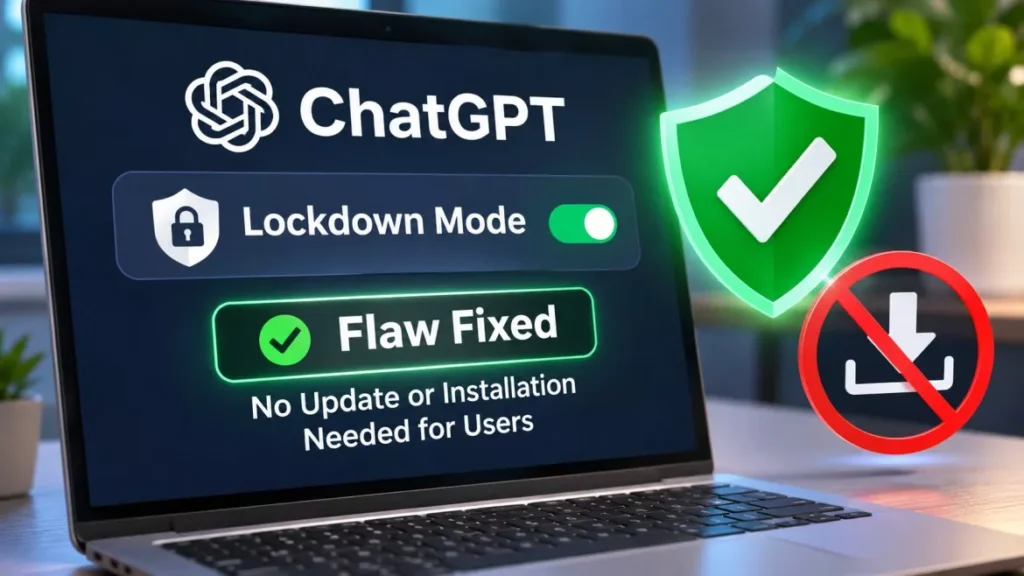

OpenAI has fixed a flaw that let attackers bypass ChatGPT Lockdown Mode and copy a user’s entire chat history. Check Point Research, which found the bug, says OpenAI deployed the fix on 18 September 2026, and published its findings on 5 November. No user action is required.
What the ChatGPT Lockdown Mode Flaw Allowed
The bypass defeated the one setting meant to stop exactly this kind of theft. Lockdown Mode is an optional setting that Check Point describes as “designed to protect sensitive user data from prompt injection-based exfiltration attacks”, and it works by closing the outbound channels an attacker would need, including web requests, image loading and file downloads.
With the bypass in place, Check Point demonstrated three outcomes.
- Chat history theft: A victim’s conversation history, and files they had uploaded, could be sent silently to a server the attacker controlled.
- Phishing inside the real interface: An attacker could display arbitrary content in a popup that appeared to belong to ChatGPT, reload the main window, force a sign-out, and invite the user to log in again on a page the attacker owned.
- Malware delivery: A file download could be pushed to the user, disguised as something ChatGPT had served.
Credential theft was the only one of the three that depended on the user doing something, because the victim had to re-enter their password on the fake login page.
How the Bypass Worked
The weakness was in a convenience feature, not in the model. In February 2026, OpenAI added a preview that renders HTML from a code block so users can see the page a chatbot has written.
That preview runs inside a sandbox built from two nested frames. The outer frame carried two permissions, allow-popups and allow-popups-to-escape-sandbox, which meant popups were not blocked outright. ChatGPT’s own scripts compensated by rewriting the browser’s popup command so that any popup needed the user’s approval first.
Check Point’s researcher, Alexey Bukhteyev, found a way around that rewrite. A page inside the sandbox could create a further frame of its own and call the popup command through it, reaching the browser’s original, unmodified version and skipping the approval step. Because the outer frame allowed popups to escape the sandbox, the window that opened ran the attacker’s code with the sandbox’s restrictions no longer applied.
Who Was Exposed, and How Badly
The risk was not the same everywhere. The desktop application was the worse case, because the popup command worked there without any click from the user.
| Where | What the attacker needed | User interaction required |
|---|---|---|
| Electron desktop app, which Check Point calls ChatGPT Classic | A malicious prompt, a malicious custom GPT, or a shared chat | None. Check Point says “simply having a conversation would be enough to trigger the attack” |
| ChatGPT in a web browser | A shared chat link containing the malicious page | Opening the link. No ChatGPT account was needed |
Automatic downloads were blocked in the desktop app, so malware delivery there needed a click. In a browser they were not blocked. The shared-link route is the one worth noting for anyone who opens ChatGPT conversations sent by other people, because it did not require the recipient to be a ChatGPT user at all.
What You Need to Do Now
Nothing. The repair was made on OpenAI’s side, so there is no patch for users to install and no version number to check.
According to Check Point’s report, “on September 18, 2026, OpenAI informed us that it had deployed a fix by removing the allow-popups and allow-popups-to-escape-sandbox permissions from the outer HTML-preview sandbox iframe.” Check Point then retested and confirmed that the technique it described no longer works.
As of 7 November 2026, that fix has been in place for about seven weeks. Neither Check Point nor OpenAI has reported any evidence that the flaw was used against real users, and Check Point’s report cites no CVE identifier for it. OpenAI has not published a separate advisory of its own, and it issued no public statement in the coverage of the disclosure.
The sequence is worth being clear about, because several reports of the research have led with the threat rather than the repair: the bug was fixed in September and written up in November. Readers who saw the headlines this week were not reading about a live hole in their account. This is the same pattern as the BragJack attack, which browsers had already patched before the research appeared.
What Lockdown Mode Still Does Not Stop
Lockdown Mode narrows the exits, not the entrances. It restricts the paths data can take out of a conversation, but it does not stop a prompt injection from reaching the model in the first place, so hostile instructions hidden in a web page or a document can still enter what ChatGPT reads and can still influence how it answers.
That distinction is the reason this bypass mattered. Every outbound channel Lockdown Mode closed was still closed; the attacker simply opened a new window outside the sandbox where those rules did not reach. The same logic applies to any AI agent granted access to accounts and files: the setting is only as good as the software around it.
What Check Point Advises Organisations to Do
Check Point’s own recommendations are aimed at companies rather than individuals, and none of them involves patching anything.
- Visibility: Establish which AI services staff actually use, and where company information is being shared.
- Policy and controls: Set rules, and the technical means to enforce them, on what may be sent to an AI service.
- Scope of the attack surface: Treat the applications, runtimes and connectors around a model as part of that surface, not just the model.
- Data minimisation: Limit the sensitive data an AI service can reach, so that a compromise elsewhere does not expose everything.
The conclusion Eli Smadja, Head of Research at Check Point Research, draws from the episode is that “AI security controls are only as strong as the wider application environment around them”.
Frequently Asked Questions
Is ChatGPT Lockdown Mode Safe to Use Now?
Check Point retested the bypass after OpenAI’s 18 September 2026 fix and confirmed its technique no longer works. The setting is working as intended again.
Was My Chat History Stolen?
There is no way to tell from the public information, and no evidence has been published that anyone was attacked. Check Point reported the flaw privately and demonstrated it in its own tests rather than finding it in use.
Do I Need to Update the ChatGPT App?
No. The permissions that made the bypass possible were removed on OpenAI’s side, so there is nothing for users to download or install for this particular fix.
What Is Lockdown Mode For?
It is an optional setting that limits the ways data can leave a conversation, as a defence against prompt injection attacks. OpenAI made it available to all personal ChatGPT accounts in June 2026.
Was a CVE Issued for This Flaw?
Check Point’s report does not cite a CVE identifier. The company disclosed the issue to OpenAI directly, and OpenAI fixed it without publishing an advisory of its own.