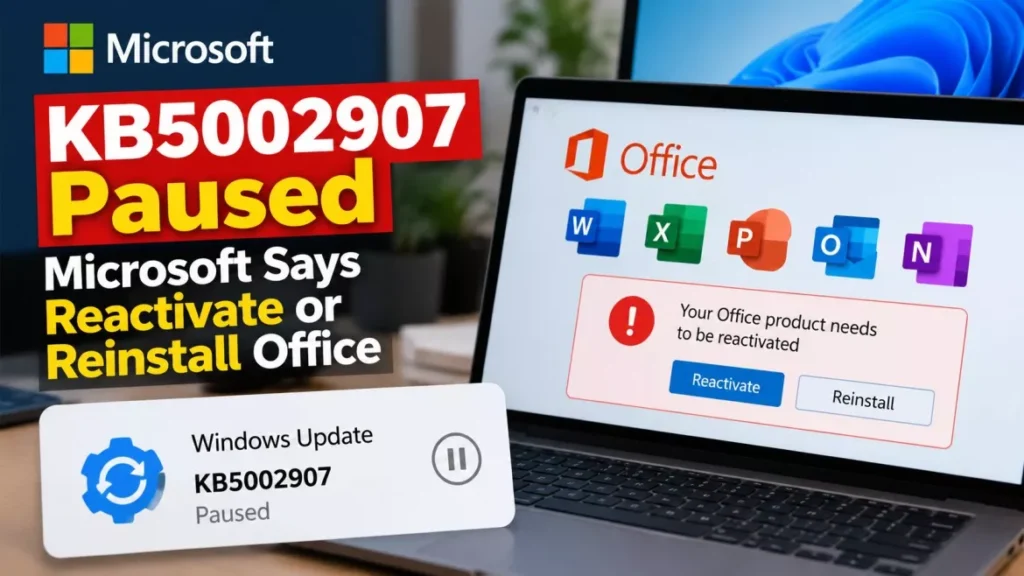

Microsoft has paused KB5002907 after the optional update left Office 2016 and Office 2019 installations showing as unlicensed, and in rare cases removed them entirely. The company’s support bulletin confirms the problem and tells affected users to reactivate or reinstall. Reports began appearing on 25 September 2026.
What KB5002907 Was Supposed to Do
KB5002907 was a repair job, not a feature update. Microsoft published it as “Optional update for out-of-date Microsoft 365 Apps installations”, aimed at Windows PCs where Microsoft 365 Apps had stopped updating and had fallen more than 90 days behind.
It applies only to devices on the Current Channel or the Monthly Enterprise Channel, and it works by restarting the stalled update process so those installations can reach a current build. Microsoft describes it as delivered through Windows Update as an optional update for other Microsoft products, and says it does not install automatically.
What Goes Wrong, and on Which Office Versions
The damage lands on perpetual Office, not on the subscription apps the update was written for. Microsoft’s bulletin now carries a known-issues notice stating that it is “investigating reports of unexpected results on some devices running Office 2016 or Office 2019 after this update is installed”, and that “as part of the repair action applied by this update, some devices were left without functioning versions of Microsoft 365 Apps or Office”.
There are two failure modes, and Microsoft separates them clearly:
- Unlicensed product: Office opens but reports that it is not licensed, and the apps drop into a restricted or read-only state. Microsoft’s instruction is to reactivate the purchased product.
- Removed product: in what Microsoft calls rare cases, the Office installation is gone. Microsoft’s instruction is to reinstall the purchased product.
Editions named in user reports on Microsoft’s own Q&A site include Office 2016 Professional Plus and Office 2019 Professional Plus bought through the Home Use Program, Office 2016 Home & Business, and Office Home & Student 2016. The Register, which covered the reports on 25 September 2026, said Home and Business perpetual licences were the most commonly mentioned, with users describing a yellow banner warning of “five days left before you can no longer use the apps”.
One further pattern appears in the reporting rather than in Microsoft’s notice: BleepingComputer reported that reinstallation attempts failed on systems mixing 32-bit and 64-bit Office components. That detail comes from a single outlet.
How to Get Office Working Again
Microsoft’s remedy is reactivation, or reinstallation if the software is gone. Work through the path that matches what you are seeing.
- Confirm what you are running: open any Office app and go to File, then Account. The product name there tells you whether this is perpetual Office 2016 or 2019 rather than Microsoft 365 Apps.
- Re-enter the product key: from the same screen, choose Change Product Key and type the original key for your copy. Users in Microsoft’s Q&A thread report that this restores activation in most cases.
- Sign in with the right account: several users found that retyping the key was not enough and that they also had to sign in with the Microsoft account the licence is attached to, then pick the correct licence.
- Retrieve a lost key: buyers who got Office through the Home Use Program can find their key in their order history on the Microsoft Workplace Discount Program portal.
- Reinstall if Office has gone: download and install your purchased copy of Office 2016 or Office 2019 again, then activate it with the key.
Keep the key and the purchase record to hand before starting. Some users in the same thread report that reactivation held only temporarily and had to be repeated, so it is worth checking the licence state again a day later.
Why Removing the Update Is Not the Fix
Rolling KB5002907 back is not a route Microsoft offers, and users who have tried report it does not work. Posters in the Microsoft Q&A thread say the update shows in Windows Update history but will not uninstall from the command line.
No Microsoft-published remedy for the update itself exists at this point. That also means the fixes circulating in forum threads — editing licensing data, running commands on the Office installation — have not been shown to be safe or effective, and carry a risk of leaving the installation in a worse state than the reactivation path above.
Why Perpetual Office Installs Were Offered a Microsoft 365 Update
The two products share a delivery system, which is how an update aimed at one reached the other. Office 2016, Office 2019 and Microsoft 365 Apps are all installed by Click-to-Run, Microsoft’s streaming installer, so a repair action written against a Click-to-Run installation can touch a perpetual copy sitting on the same machine.
There is also a conflict in the record that Microsoft has not addressed. Microsoft states the update is optional and does not install automatically, while users across Reddit, the AnandTech forums and Microsoft’s own Q&A site report that it arrived without being selected. Microsoft has not explained that discrepancy, and it is the single most important thing to watch for when the rollout resumes.
What End of Support Since October 2025 Changes
Office 2016 and Office 2019 both left support on 14 October 2025, which shapes what recourse an affected user has. Microsoft’s end-of-support page states that it “may no longer provide technical support, bug fixes, or security fixes” for either version, and that phone and chat technical support have ended. There are no extended security updates.
The licences themselves remain valid, and nothing in Microsoft’s notice suggests this was a deliberate shutdown of unsupported software. But an out-of-support product is a poor place to be when an update damages it, because the usual support channels are closed. Readers who want to stay on a one-off purchase rather than a subscription can look at Office 2024, which Microsoft sells as a buy-once licence. Those troubleshooting the installer layer more generally may find the background on Microsoft Office Click-to-Run useful.
What Microsoft Has Not Said Yet
As of 27 September 2026, the rollout is paused, Microsoft’s investigation is open, and no fixed build or timeline has been published. The bulletin promises further guidance through the company’s usual channels without saying when.
Three things are still unknown. Microsoft has given no figure for how many devices were affected, no explanation for why machines running only perpetual Office were served the update, and no statement on whether devices already damaged will be repaired automatically once the rollout resumes.
Frequently Asked Questions
What Is KB5002907?
It is an optional Microsoft update for Windows PCs whose Microsoft 365 Apps installation had fallen more than 90 days out of date on the Current or Monthly Enterprise Channel. It restarts the stalled update process. Microsoft paused its rollout in late September 2026.
Why Does My Office Say Unlicensed Product?
If this began after KB5002907 installed, it matches the known issue Microsoft is investigating. Microsoft’s instruction is to reactivate the purchased product by re-entering the original product key under File, then Account, then Change Product Key.
Can I Uninstall KB5002907 to Undo the Damage?
Microsoft has not published a rollback, and users report the update will not uninstall even though it appears in update history. Reactivating or reinstalling Office is the route Microsoft’s own bulletin sets out.
Does This Affect Microsoft 365 Subscribers?
The reported failures involve perpetual Office 2016 and Office 2019 installations. Microsoft’s notice says some devices were left without functioning versions of Microsoft 365 Apps or Office, so subscription installs are not explicitly excluded, but the reports centre on the perpetual versions.
Will I Lose My Documents?
The reported problem affects the licence state and, in rare cases, the installation itself, not the files. Microsoft’s guidance covers reactivating or reinstalling the software and says nothing about data loss.